34954

Extrait du fichier (au format texte) :

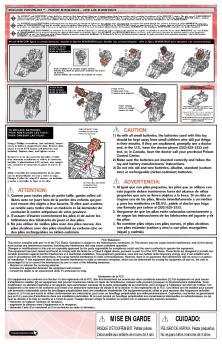
1.Besuretoinsertthebatteriescorrectlyandalwaysfollowthegameandbatterymanufacturers'instructions; 2.Donotmixoldandnewbatteriesoralkaline,standard(carbon-zinc)orrechargeable(nickel-cadmium)batteries; 3.Alwaysremoveweakordeadbatteriesfromtheproduct.

CAUTION:TOAVOIDBATTERYLEAKAGE

IMPORTANT:BATTERYINFORMATION

Pleaseretainthisinformationforfuturereference.Batteriesshouldbereplacedbyanadult.

OVER 18 MONTHS 18 MOIS ET PLUS 18 MESES EN ADELANTE

1) Always follow the instructions carefully. Use only batteries specified and be sure to insert them correctly by matching the + and ­ polarity markings. 2) Do not mix old batteries and new batteries, or standard (carbon-zinc) with alkaline batteries. 3) Remove exhausted or dead batteries from the product. 4) Remove batteries if product is not to be played with for a long time. 5) Do not short-circuit the supply terminals. 6) Should this product cause, or be affected by, local electrical interference, move it away from other electrical equipment. Reset (switching off and back on again or removing and re-inserting batteries) if necessary. 7) RECHARGEABLE BATTERIES: Do not mix these with any other types of battery. Always remove from the product before recharging. Recharge batteries under adult supervision. DO NOT RECHARGE OTHER TYPES OF BATTERIES.

CAUTION:

1.S'assurerd'insérercorrectementlespilesetdetoujourssuivrelesindicationsdesfabricantsdujouetetdespiles. 2.Nepasutiliserdevieillespilesavecdespilesneuves,nidespilesalcalinesavecdespilesstandardaucarbone-zincoudespilesrechargeables aunickel-cadmium. 3.Toujoursretirerlespilesfaiblesouuséesduproduit.

ATTENTION:POURÉVITERLESRISQUESDEFUITES

34953/34894 Asst.

34954/34894 Asst. 34967/34894 Asst.

DÉTAILSIMPORTANTSSURLESPILES

Conservercetteinformationpourréférenceultérieure.Lespilesdoiventêtreremplacéesparunadulte.

1) Suivre les directives. N'utiliser que les piles recommandées et les insérer en respectant le sens des polarités + et ­ inscrites sur le jouet. 2) Ne pas utiliser de vieilles piles avec des piles neuves, ni des piles alcalines avec des piles au carbone-zinc. 3) Toujours retirer les piles faibles ou usées du produit. 4) Retirer les piles si le jouet doit rester inactif pour une longue période de temps. 5) Ne pas court-circuiter les bornes d'alimentation. 6) Si ce jouet provoque de l'interférence ou s'il en est affecté, il faut l'éloigner d'autres appareils électriques et procéder, si nécessaire, à une remise à l'état initial en l'éteignant et en le rallumant, ou encore en retirant et réinsérant ses piles. 7) PILES RECHARGEABLES: Ne pas utiliser celles-ci avec d'autres types de piles. Les retirer du jouet avant de les recharger sous la surveillance d'un adulte. NE PAS RECHARGER LES AUTRES TYPES DE PILES.

ATTENTION:

1.Asegúresedequelaspilasesténcolocadascorrectamenteydeseguirlasinstruccionesdelosfabricantesdeljugueteydelaspilas. 2.Nocombinepilasviejasconpilasnuevas,nipilasalcalinasconpilasestándar(carbónyzinc)oconpilasrecargables(níquelycadmio). 3.Siempreretiredelproductolaspilasdébilesogastadas.

ADVERTENCIA:PARAEVITARQUELASPILASSEDERRAMEN

IMPORTANTE:INFORMACIÓNSOBRELASPILAS

Conserveestainformaciónparareferenciafutura.Laspilasdebensercambiadasporunadulto.

Les promotions


mlp masq rules
mlp masq rules
05/04/2012 - www.hasbro.com
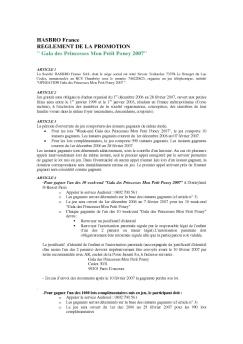
HASBRO France REGLEMENT DE LA PROMOTION " Gala des Princesses Mon Petit Poney 2007" ARTICLE 1 La Société HASBRO France SAS, dont le siège social est situé Savoie Technolac 73378 Le Bourget du Lac Cedex, immatriculée au RCS Chambéry sous le numéro 746220623, organise un jeu téléphonique, intitulé "OPERATION Gala des Princesses Mon Petit Poney 2007 ". ARTICLE 2 Jeu gratuit sans obligation d'achat organisé du 1er décembre 2006 au 28 février 2007, ouvert aux petites filles nées entre...

assemblage avant de jouer la première fois but du prépara ... - Hasbro
25/10/2016 - www.hasbro.com
TM ® ÉDITION POUR 2 JOUEURS ÂGE 6+ CONTENU " 2 plateaux de jeu " 24 cartes mystères de personnages Star Wars " 48 cartes de personnages Star Wars et leur cadre " 2 curseurs de score Dans une galaxie très, très lointaine, quelqu un a causé une perturbation dans la Force. C est à toi de décider d aider un ami ou de vaincre le côté obscur. Utilise la Force pour découvrir qui a provoqué cette perturbation. Pose des questions pour percer à jour l identité de ton ami ou ennemi. ASSEMBLAGE FIGURE...

1EF72A7919B9F36910A025BCC5061A68
05/04/2012 - www.hasbro.com
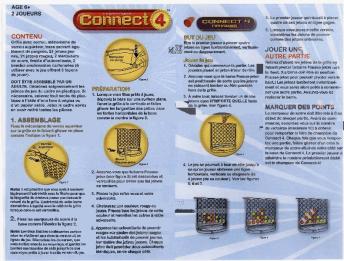
CONNECT t7RIGINUL Grille avec verrou, mkanisme de verrou superieur, base servant egalement de poignee, 21 jetons jaunes, 21 jetons roug8s, 2 marqueurs de score, feuille d'autocollants, 2 bandes coulissantes cartonnees (h utiliser avec le jeu offrant 5 fagons de jouer). DOlT ~ T R ASSEM B L PAR UN E ~ ADULTE. Detachez soigneusement lea pieces de jeu du cadre en plastique. Si necessaire, enlevez tout exchs de plastique a I'aide d'une lime it ongles ou d'un papier sable. Jetez le cadre apres en avoir...

mise en garde - Hasbro
27/09/2016 - www.hasbro.com
UN SCORE DE ZÉRO DANS LA COLONNE DES PERSONNAGES Si, après ton troisième lancer, tu n obtiens que des personnages pour lesquels tu as déjà marqué des points, tu dois indiquer un score de ZÉRO pour ce tour. Place alors n importe lequel des jetons qui te restent sur le personnage qui y correspond dans la colonne des personnages. Un jeton placé dans cette colonne équivaut à un score de ZÉRO pour ce tour. Supposons par Pour indiquer un score de ZÉRO, place ton jeton exemple que tu as obtenu...

centuriontm - Hasbro
23/03/2018 - www.hasbro.com
PANTONE Reflex Blue C Black 10-12-13 HUNG HING Hb F12-10-9 A37002230_NER_Centurion_INST_REV OP.OP GMG 006 175 A37002230 ASST/NER NSTRIKE ELITE CENTURION MEGA BIPOD " BIPIED " BÍPODE " SUPORTE AGE " EDAD " IDADE 8+ CAUTION: Do not aim at eyes or face. TO AVOID INJURY: Use only darts designed for this product. Do not modify darts or dart blaster. ATTENTION: 1. Slide BIPOD onto TACTICAL RAIL to attach. Fais glisser le BIPIED sur le RAIL TACTIQUE pour le fixer. Fija el BÍPODE deslizándolo...

Hideway HavenGame - Hasbro
23/03/2018 - www.hasbro.com
AGE 6+ EDAD 2-6 Players Joueurs Jugadores Jeu " Juego Hideway Haven Game " If you spun the Dragonfly, you may move the Dragonfly to any space on the board! Turn over the tile on the space. If it is your tile, you may collect it. Moving The Pawns " You may move a pet pawn up to the number of spaces you spun. You don t have to move a pet pawn at all, if you don t want to, nor do you have to move it the full number that you spun. " Move a pet pawn from each space to any connected space,...

631C0C835056900B1025BDB084733A57
05/04/2012 - www.hasbro.com
© 2011 Hasbro. All Rights Reserved. Tous droits réservés. © 2011 Hasbro. All Rights Reserved. Tous droits réservés.

80740frt
80740frt
05/04/2012 - www.hasbro.com
ROBOTS IN DISGUISE TM ROBOTS DÉGUISÉS ROBOTS CAMUFLADOS GALVATRON ® with GAL TRON CLENCHTM MINI-CON TM figure figur GALVATRON avec la figurine GAL TRON MINIMODUS CLENCH GAL TRON GALVATRON con la figura MINIMODUS CLENCH transformers.com AGE EDAD :5 + 80740/80705 Asst. Includes 3 x 1.5v A-76/LR44 button cell batteries. Alkaline batteries recomended. Phillips/crosshead screwdriver (not included) needed to replace batteries. Inclut 3 piles-boutons A76 ou LR44 de 1,5 V, à remplacer par des...


Getting started with Logitech® Fold-Up Keyboard
16/02/2012 - www.logitech.com
Getting started with Logitech® Fold-Up Keyboard for iPad 2 Logitech® Fold-Up Keyboard Getting started with Logitech® Fold-Up Keyboard for iPad 2 2 Logitech® Fold-Up Keyboard Contents English Deutsch www.logitech.com/support 4 10 Français Italiano 16 22 31 3 Logitech® Fold-Up Keyboard Setup and turn on 1. Insert iPad 2 2. Open the keyboard Slide your iPad 2 into the tray. Make sure that the connector port is aligned with the connector opening on the tray. Push the iPad into place....

Fiche produit Sony : 59/1237480643259.pdf
16/02/2012 - www.sony.fr
NXCAM Super 35mm Sensor Camcorder A New World of High Quality Video Production Convenience with an NXCAM Super 35mm Motion Picture Camcorder NEX-FS100E NEX-FS100EK 2 I N T R ODUCT IO N NXCAM Super 35mm Motion Picture Camcorder Providing a Simple Solution to High Quality Video Production Sony's range of NXCAM models now includes the NEX-FS100E interchangeable lens camcorder featuring a Super 35mm sensor. Developed specifically for shooting motion pictures, this high sensitivity, large format...

IE-FC300 ÉCOUTEURS intra-auriculaires - Onkyo
06/08/2018 - www.fr.onkyo.com
2013 NEW PRODUCT RELEASE IE-FC300 ÉCOUTEURS intra-auriculaires IE-FC300 (V) Écouteurs intra-auriculaires noirs, cordon violet IE-FC300 (W) Écouteurs intraauriculaires noirs, cordon blanc IE-FC300 (R) Écouteurs intra-auriculaires noirs, cordon rouge La rencontre de la performance et de la praticité Alliant portabilité, esthétique et confort, les écouteurs intra-auriculaires IE-FC300 vous proposent une formidable expérience d'écoute mobile. Un cordon amovible plat en élastomère avec...

Rallybar Huddle Datasheet
06/03/2025 - www.logitech.com
DATASHEET RALLY BAR HUDDLE VIDEO ENABLE HUDDLE AND SMALL ROOMS. ALL-IN-ONE VIDEO CONFERENCING AT THE TOUCH OF A BUTTON. ALL-IN-ONE VIDEO BAR FOR HUDDLE AND SMALL ROOMS Designed to deliver video meetings with ease, Rally Bar Huddle is quick to set up in person or remotely, simple to manage, and easy to integrate with your existing video conferencing solutions through CollabOS. Rally Bar Huddle works with most platforms you use to connect hybrid teams, ensuring an effortless experience from the...

p5 dl dvdrw usb Manual - LaCie
03/10/2016 - www.lacie.com
Manuel de l utilisateur Graveur LaCie DVD±RW USB 2.0 Table des matières page 1 Table des matières Avant-propos Précautions d emploi 1. Déballage de votre périphérique LaCie 1.1. Configuration minimum 1.1.1. Utilisateurs Mac 1.1.2. Utilisateurs Windows 2. Connexion du périphérique 2.1. Installation des logiciels de gravure 2.2. Connexion de l alimentation et mise sous tension du périphérique 2.3. Connexion du câble USB 2.0 entre le périphérique externe et l ordinateur 3. Utilisation...

cliquez ici - Sony
cliquez ici - Sony
16/02/2012 - www.sony.fr
VOS INTERLOCUTEURS COMMERCIAUX IT Laurent BAZART : 06.10.92.03.34 laurent.bazart@eu.sony.com 62 59 TBC 80 76 60 50 14 61 35 56 44 49 37 36 86 23 87 17 16 19 24 33 47 40 32 31 64 65 09 66 11 82 81 34 46 12 15 63 03 53 72 41 18 58 27 78 92 93 94 08 57 02 51 54 77 89 10 52 88 68 21 70 25 39 71 74 01 42 69 73 38 43 07 48 04 30 84 83 13 06+98 26 Patrice LABEILLE : 06.12.38.47.67 patrice.labeille@eu.sony.com 67 55 22 29 28 91 45 85 Christian EVENE : 06.07.77.87.29 christian.evene@eu.sony.com 79 05 Nov...