Health and Safety Information - Nintendo

Extrait du fichier (au format texte) :

5

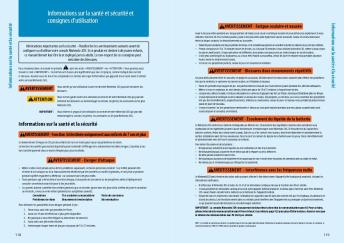
Health and Safety Information

Throughout this manual, you will see this symbol followed by WARNING or CAUTION, or you may see the term IMPORTANT. These terms have different levels of meaning as outlined below. Please read and understand these terms and the information that appears after them before using your DS system:

WARNING

Warns you about incorrect use of the Nintendo DSi that could result in serious personal injury.

CAUTION

Cautions you about incorrect use of the Nintendo DSi that could result in personal injury or damage to the Nintendo DS system, components, games or accessories.

IMPORTANT:

Informs you about incorrrect use of the Nintendo DSi that could result in damage to the Nintendo DS system, components, games or accessories.

WARNING - Seizures
" Some people (about 1 in 4000) may have seizures or blackouts triggered by light flashes or patterns,
and this may occur while they are watching TV or playing video games, even if they have never had a seizure before.
" Anyone who has had a seizure, loss of awareness, or other symptom linked to an epileptic condition should consult a doctor before playing a video game.
" Parents should watch their children play video games. Stop playing and consult a doctor if you or your child has any of the following symptoms:
Convulsions
Eye or muscle twitching
Loss of awareness
Altered vision
Involuntary movements
Disorientation
" To reduce the likelihood of a seizure when playing video games:
1. Sit or stand as far from the screen as possible.
2. Play video games on the smallest available television screen.
3. Do not play if you are tired or need sleep.
4. Play in a well-lit room.
5. Take a 10 to 15 minute break every hour.

WARNING - Battery Leakage
Nintendo portable video game systems contain a rechargeable lithium ion battery pack. Leakage of ingredients contained within the battery pack, or the combustion products of the ingredients, can cause personal injury as well as damage to your Nintendo DS. If battery leakage occurs, avoid contact with skin. If


Les promotions


Tenchu_00_01 [Converted].ai - Nintendo
02/12/2014 - www.nintendo.com
NEED HELP WITH INSTALLATION, MAINTENANCE OR SERVICE? NINTENDO CUSTOMER SERVICE WWW.NINTENDO.COM or call 1-800-255-3700 MON.-SUN., 6:00 a.m. to 7:00 p.m., Pacific Time (Times subject to change) BESOIN D AIDE POUR L INSTALLATION, L ENTRETIEN OU LA RÉPARATION? SERVICE À LA CLIENTÈLE DE NINTENDO WWW.NINTENDO.COM ou appelez le 1 (800) 255-3700 LUN.-DIM., entre 6 h 00 et 19 h 00, heure du Pacifique (Heures sujettes à changement) Nintendo of Canada Ltd. 110 - 13480 Crestwood Place Richmond, B.C....

HARDWARE PRECAUTIONS / MAINTENANCE WARNING - Nintendo
12/10/2017 - www.nintendo.com
C/TWL-USZ Health and Safety Precautions Booklet Manuel de précautions concernant la santé et la sécurité Folleto de precauciones de salud y seguridad IMPORTANT SAFETY INFORMATION - READ THE FOLLOWING WARNINGS BEFORE YOU OR YOUR CHILD PLAY VIDEO GAMES. IF THIS PRODUCT WILL BE USED BY YOUNG CHILDREN, THIS MANUAL SHOULD BE READ AND EXPLAINED TO THEM BY AN ADULT. FAILING TO DO SO MAY CAUSE INJURY. RENSEIGNEMENTS IMPORTANTS SUR LA SÉCURITÉ AU JEU - VEUILLEZ LIRE LES AVERTISSEMENTS SUIVANTS AVANT...

BOXBOY! 1 Informations importantes Pour commencer 2 Partage d ...
15/08/2019 - www.nintendo.com
BOXBOY! 1 Informations importantes Pour commencer 2 Partage d-informations 3 Fonctions en ligne 4 Avis aux parents et tuteurs Informations 5 Sauvegarder et effacer Comment jouer 6 Les niveaux 7 La carte du monde 8 La boutique 9 Envoi de la demo Depannage 10 Assistance 1 Informations importantes Veuillez lire ce mode d-emploi attentivement avant d-utiliser ce

Hey! PIKMIN - Nintendo
12/10/2017 - www.nintendo.com
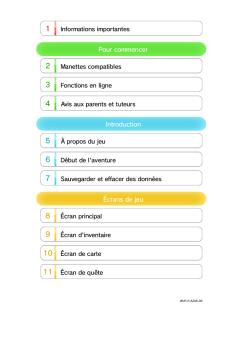
1 Informations importantes Informations de base 2 amiibo 3 Fonctions en ligne Introduction 4 Commencer à jouer 5 Données de sauvegarde Explorer une zone 6 Écran de jeu 7 Explorer la planète 8 Olimar et les Pikmin Encore plus de plaisir 9 Parc Pikmin 10 amiibo Communications sans fil 11 SpotPass Dépannage

Health and Safety Information and Usage ... - Nintendo
02/12/2014 - www.nintendo.com
Health and Safety Information Health and Safety Information Health and Safety Information and Usage Guidelines WARNING - EYESTRAIN AND MOTION SICKNESS Playing video games can result in eyestrain after a sustained period of time, and perhaps sooner if using the 3D feature. Playing video games can also result in motion sickness in some players. Follow these instructions to help avoid eyestrain, dizziness, or nausea: Important Safety Information  Read the following warnings before setup or use...

Funcionamiento del WaveBird Control - Nintendo
02/12/2014 - www.nintendo.com
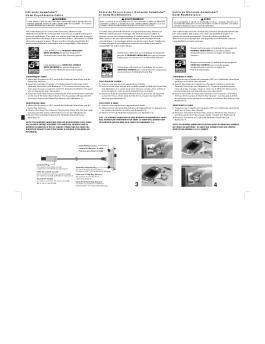
Funcionamiento del WaveBird Control Nintendo GameCube!" WaveBird!" Control Inalámbrico Instalación de las Pilas AVISO LEA CUIDADOSAMENTE EL MANUAL DE PRECAUCIONES DE SALUD Y SEGURIDAD INCLUIDO CON EL EQUIPO NINTENDO GAMECUBE Y LOS VIDEOJUEGOS ANTES DE USAR ESTE ACCESORIO. ESTE MANUAL CONTIENE INFORMACION DE SALUD Y SEGURIDAD IMPORTANTE. Por favor lea el manual de instrucciones del Nintendo GameCube antes de utilizar este accesorio. El WaveBird le permite jugar v deo juegos en su Nintendo...

Pages 28-55 - Nintendo
04/04/2017 - www.nintendo.com
C/USG-USA NEED HELP WITH INSTALLATION, MAINTENANCE OR SERVICE? NINTENDO CUSTOMER SERVICE: WWW.NINTENDO.COM or call 1-800-255-3700, MON.-SUN., 6:00 a.m. to 7:00 p.m, Pacific Time (Times subject to change) TTY Hearing Impaired: 800-422-4281 BESOIN D'AIDE AVEC L'INSTALLATION, L'ENTRETIEN OU LE SERVICE ? SERVICE À LA CLIENTÈLE DE NINTENDO: www.nintendo.ca Ou appelez le 1-800-255-3700 LUN.-DIM., entre 6 h 00 et 19 h 00 , heure du Pacifique. (Heures sujettes à changement) Service à la clientèle...

Pikmingarden Coloring 01 Frfr
11/09/2024 - www.nintendo.com
1 2 3 4 5


Spec Sheet (FR) - JBL
24/03/2020 - fr.jbl.com
Enceinte Bluetooth portable Ecoutez votre musique et rechargez vos appareils a l'infini Caracteristiques Decouvrez la JBL Charge 4, une enceinte Bluetooth portable avec un spectre sonore integral Diffusion sans fil via Bluetooth puissant et une Power bank integree pour recharger vos appareils. Elle est dotee de deux haut- 20 heures d'autonomie parleurs proprietaires, de deux radiateurs de graves passifs JBL qui amplifient le son pour Etancheite conforme a la norme IPX7 des basses plus profondes...

Using your Bluetooth printer with the Logitech wireless hub
05/12/2014 - www.logitech.com
Using your Bluetooth printer with the Logitech wireless hub © 2005 Logitech, Inc. Using your Bluetooth printer with the Logitech wireless hub Contents Before you start 3 Connecting your Bluetooth printer 3 Viewing the device icon for your Bluetooth printer Error! Bookmark not defined. Troubleshooting 6 This manual is published by Logitech. Logitech assumes no responsibility for any errors that may appear in this manual. Information contained herein is subject to change without notice. © 2005...

Cucina Professionale - Hotpoint
11/07/2017 - www.hotpoint.fr
CP 98 SP6 F/HA S Français Mode d emploi CUISINIÈRE Mode d emploi,1 Avertissements,2 Assistance,2 Description de l appareil,3 Installation,4 Mise en marche et utilisation,7 Programmateur électronique,9 Précautions et conseils,11 Nettoyage et entretien,12 Sommaire Avertissements ATTENTION : Cet appareil ainsi que ses parties accessibles deviennent très chauds pendant leur fonctionnement. Il faut faire attention à ne pas toucher les éléments chauffants. Ne pas faire approcher les enfants...

PENTAX Optio A20 Firmware de mise à jour Version 1.01
06/03/2012 - www.pentax.fr
=================================================================== PENTAX Optio A20 Firmware de mise à jour Version 1.01 =================================================================== * Le firmware est le logiciel intégré aux appareils photo numériques. Modèles pouvant être mis à jour : Appareils photo numériques Optio A20 dotés du firmware Version 1.01 Comment vérifier la version Mettez l'appareil sous tension tout en appuyant sur le bouton MENU. La version de firmware s'affiche...

Apprenti pilote
Apprenti pilote
03/04/2012 - www.vtech-jouets.com
Apprenti pilote 2010 91-002430-006-000 Vous venez d acquérir Apprenti pilote de VTech®. Félicitations ! Apprenti pilote est un tableau d activités doté de nombreuses fonctionnalités : volant à faire tourner, levier de vitesses à actionner, clé de contact, rétroviseur, Klaxon et bouton radio, qui permettent à Bébé de développer sa motricité. Apprenti pilote propose 3 modes de jeu : découverte des animaux, découverte des nombres ordinaux et mode musical. Ses 5 touches colorées...

Guide de l'utilisateur du FreeAgent® GoFlex™ Home
25/02/2012 - www.seagate.com
Guide de l'utilisateur du FreeAgent® GoFlexTM Home Guide de l'utilisateur du FreeAgent® GoFlexTM Home © 2010 Seagate Technology LLC. Tous droits réservés. Seagate, Seagate Technology, le logo Wave et FreeAgent sont des marques ou des marques déposées de Seagate Technology LLC ou de l'une de ses filiales. Les autres noms de produits cités sont des marques ou des marques déposées de leurs propriétaires respectifs. En termes de capacité de disque dur, un gigaoctet (Go) équivaut à un...